Joining the Octavian Universe
This page explains what happens to your game when your nation joins the Universe: what your players will see, which keys they will use, how vehicles and planes work, how travel between games works, and how the technology is protected.
What the integration is
The Universe links Roblox games into one world. A player can board a plane in one nation's game and land in another's, and arrive with their uniform, their tools and their side.
For that to work, every game in the Universe has to speak the same language. That means we come into your game with developer access and fit it with the shared systems:
- the main HUD, restyled to the Universe look;
- the keybind list and the notification system;
- the nametags and the cosmetics and uniform interface;
- your tools, vehicles, tanks and planes, wired into our systems so they carry over between games;
- travel to and from the other games, and rank sync with your Roblox group.
Your map, your builds, your factions, your group and your games stay yours. We do not take over your game, we add the parts that connect it to everyone else. The work is done quickly and costs your nation nothing.
The HUD
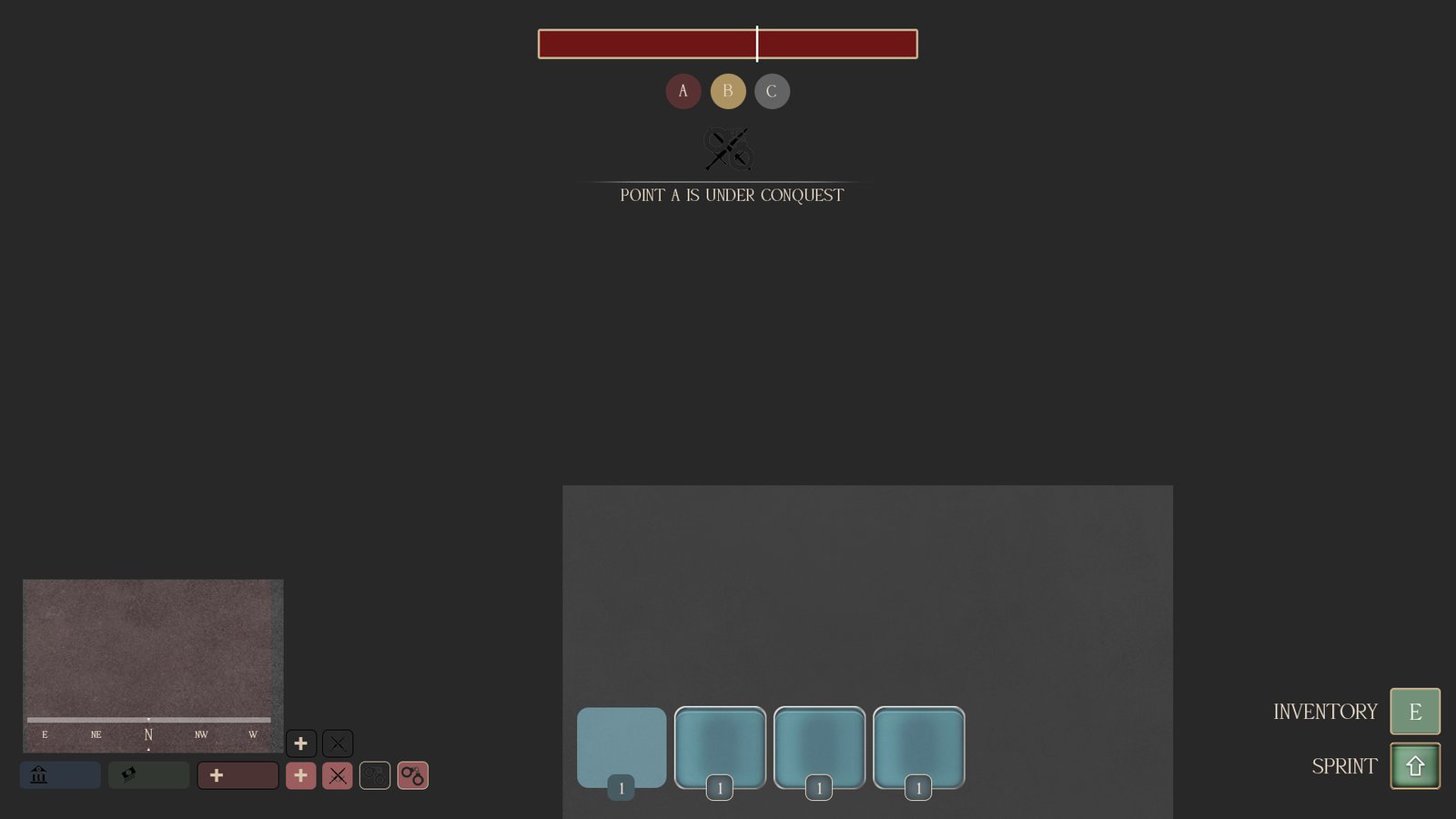
- Minimap and compass bottom left. M changes its size, and it slides away when you go indoors.
- Bank and cash, a health box from 1 to 100, and small status squares for combat and handcuffs. Police also see a wanted and warrants row.
- The toolbar. The weapon in your hands gets a wide box with its picture and ammo, shown as rounds in the gun / rounds carried.
- The objective bar at the top with the A, B and C capture points.
- Key hints bottom right, listing what you can press right now.
- ` opens the leaderboard. Menus hide the HUD while they are open, so nothing is ever drawn on top of something else.
Keybinds
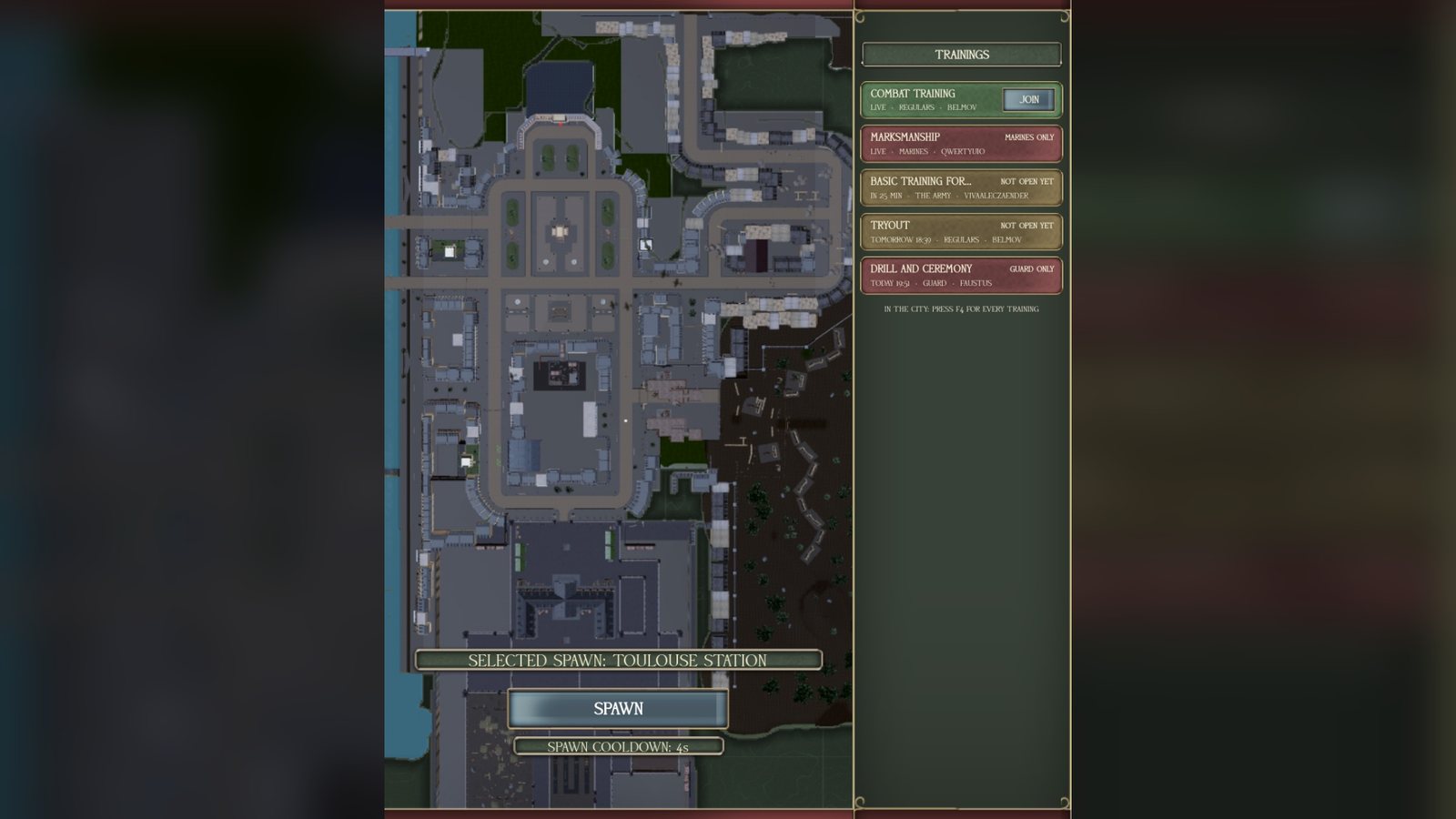
Every system puts its keys into one list on the right side of the screen, so a player always knows what they can press. On a controller or a phone the same list turns into an action wheel. The list hides while you are knocked down or cuffed.
Menus
- F1
- Settings
- F2
- Orders
- F3
- Guide
- F4
- Training
- G
- Weapon loadout
- B
- Inventory
- J
- Bank
- `
- Leaderboard
Talking and signals
- Tab
- Radio, tap to talk, hold to change channel
- U
- Panic (hold)
- ,
- Quick chat wheel (hold)
- -
- Emotes
- Mouse 3
- Ping wheel (hold)
On foot
- Q
- Fists
- Z
- Salute
- X
- At ease
- H
- Call for help when down
- M
- Map size
- E
- Interact
Vehicle, tank and plane keys are listed in their own sections below.
Notifications
Everything the game needs to tell a player goes through one stack of cards, bottom left above the minimap. A card has a title and a short line of text.
- At most three cards at once. A card fades after eight seconds, or stays until it is clicked when it matters.
- A newer card about the same thing replaces the old one, so the screen never fills up with repeats.
- Refusals are red and say why an action was blocked.
- Announcements from a side are tinted in that side's colour.
- Pay shows as a green card, and zone cards tell you when you enter a new area.
- No cards are shown during the deploy screen, the loading screen or open menus.
Nametags
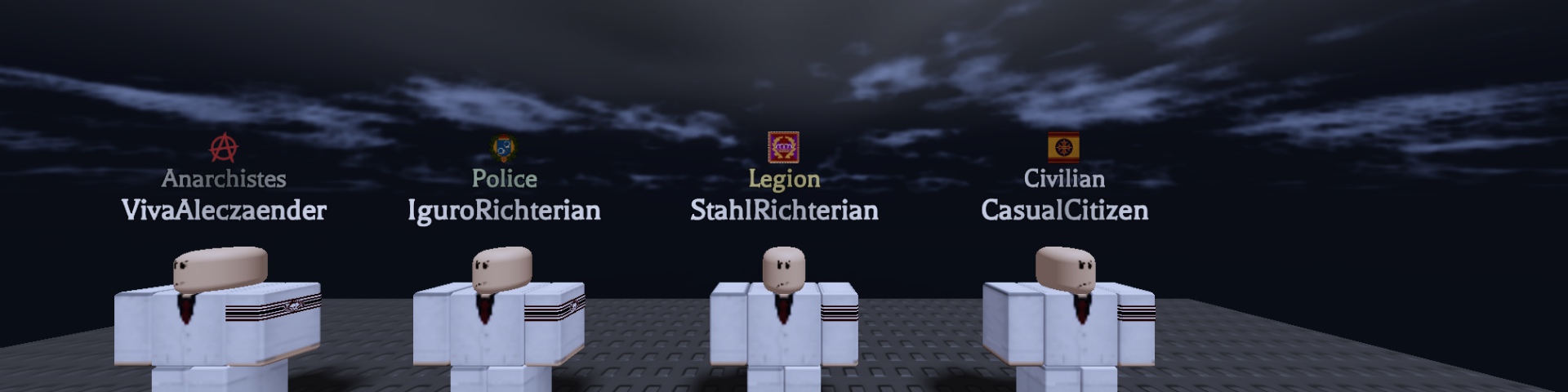
- Three rows: the rank insignia, the team name in the team's colour, and the player's name in white.
- Shown within 35 studs, never over your own head. Roblox's own name labels are turned off.
- Your nation's ranks come straight from your Roblox group through rank sync.
Uniforms and cosmetics
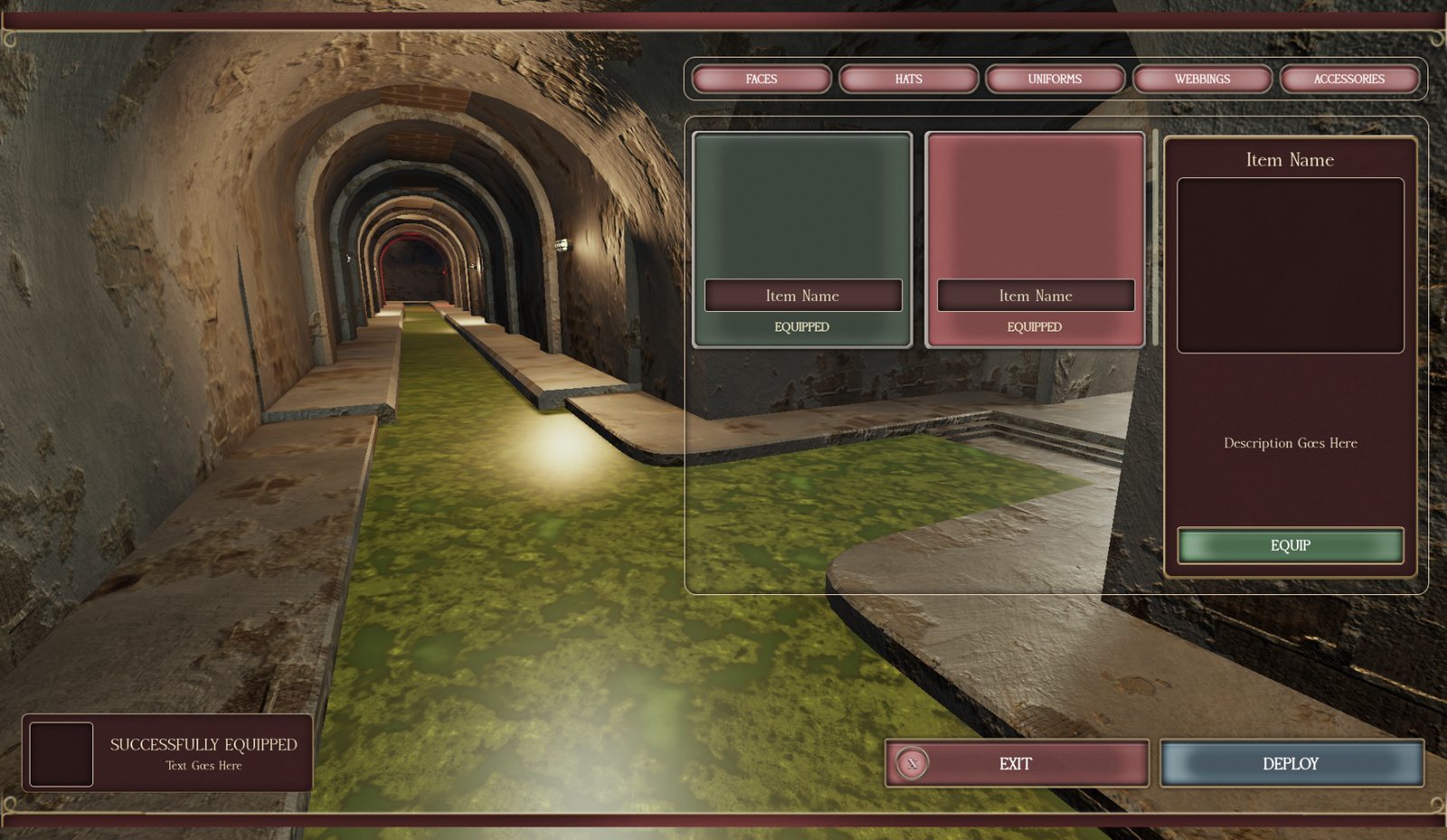
- Opened at a quartermaster or locker with E.
- Tabs for faces, hats, uniforms, webbings and accessories, each item with a 3D preview. A player only sees what their rank allows.
- The outfit is saved per team, and rank insignia go on the right sleeve.
- This is the part that travels: a player who flies into another nation's game arrives in the uniform they left in.
Vehicles and tanks
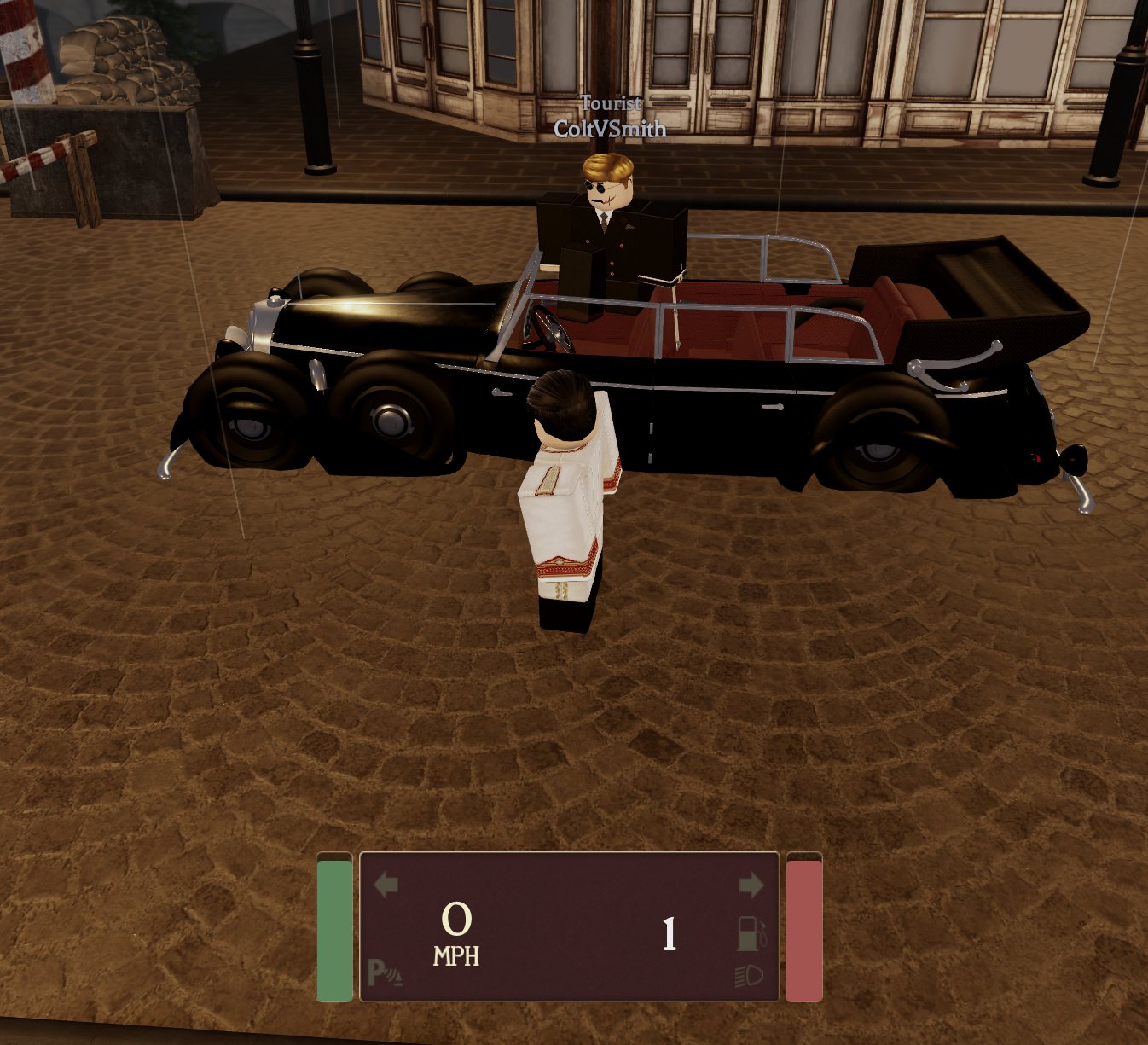
The dashboard shows speed, the gear, a green fuel bar and a red health bar, blinking indicator arrows, and symbols for the lights and the parking brake.
Driving
- W S
- Throttle and brake
- P
- Engine on and off
- R F
- Gear up and gear down / reverse
- V
- Headlights
- H
- Horn
- G
- Parking brake
- C
- Lock
- Q E
- Indicators
- K Y
- Siren and light bar
- B U
- Open and lock gates from the seat
- T
- Get out
Tanks get a weapon plate with the weapon's name, the fire mode, the zoom, rounds in the gun and rounds carried, and a reload meter. Their keys go into the same key list: F weapon, V fire mode, G sights, L searchlight, Y switch round.
Your own vehicles and tanks are fitted into this system, so they drive and fight the same way in every game of the Universe.
Planes
Planes are what connect the Universe. Every aircraft uses the same flight system, so a pilot who can fly in one game can fly in all of them.
- The hangar shows one picture card per aircraft with its role, speed and hull. Press spawn and the plane rolls out of the hangar as the doors open.
- The flight panel sits top centre and can be moved: altitude in metres, speed in km/h (red near a stall), coordinates, engine and throttle, hull, and gear and flaps. A gunsight in the middle, and a red warning plate with a cockpit voice for PULL UP and STALL.
- Airstairs come down from the real doors once the plane is stopped with the engines off.
- Branch planes have co-owners: the owner adds players by name, and only one copy of each plane can fly anywhere in the Universe at a time.
- Three flight modes on T: keys, mouse flight, and aim with the view. Phones get a one finger mode.
Flying
- Y
- Engines
- Shift Ctrl
- Throttle
- W S
- Pitch
- A D
- Roll
- Q E
- Rudder
- L
- Level out
- G
- Gear
- X
- Flaps
Weapons and more
- F
- Fire (or the mouse)
- Z
- Bombs and rockets
- R
- Next weapon
- H
- Flares
- C
- Canopy
- B
- Hangar door
- P
- Camera
- V
- Parachute
Your nation's planes are fitted into the same system, so your fighters can take off in your game and fly into ours.
Travel between games
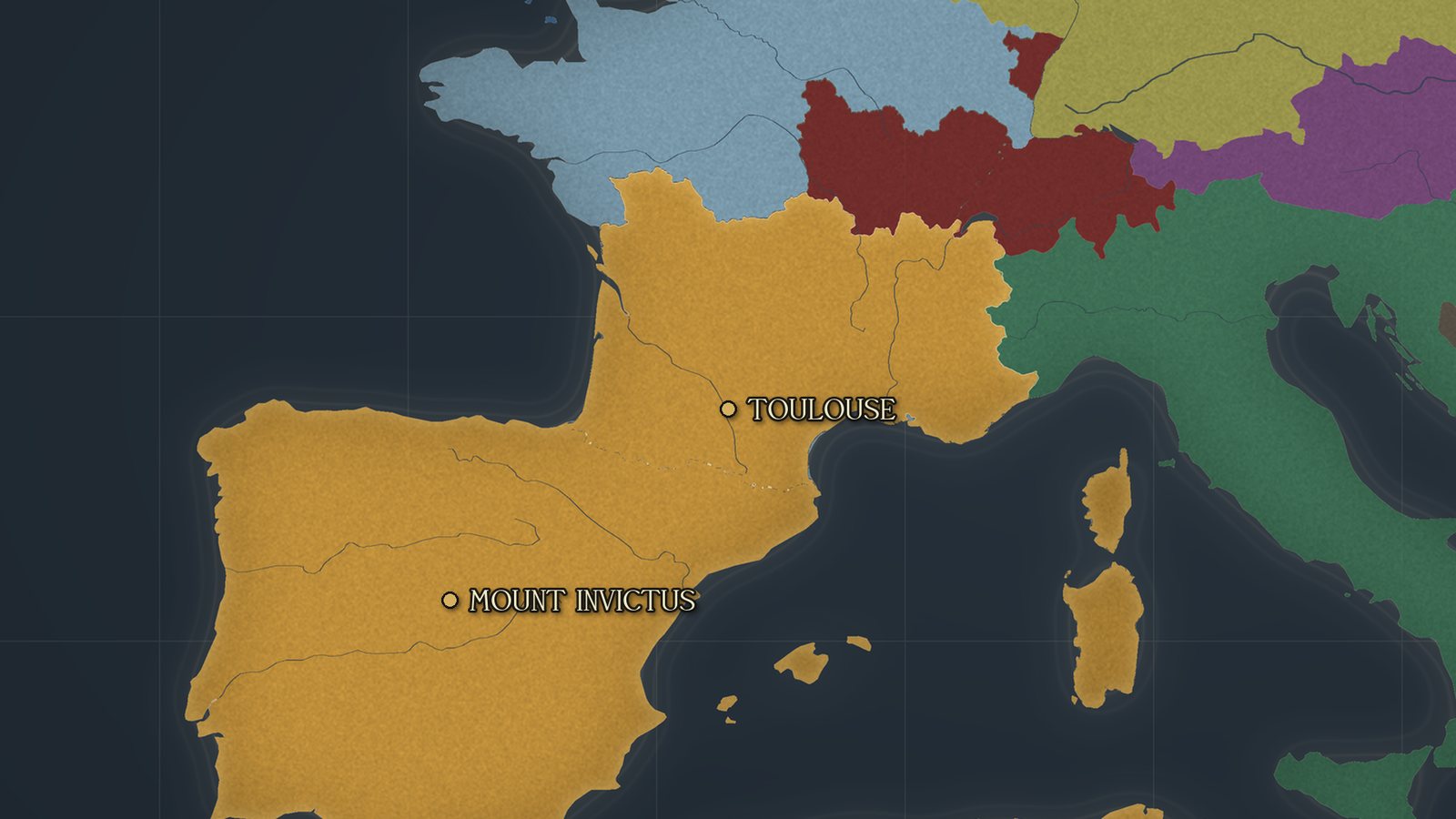
- By air: open the map in the plane, pick a place and press SET COURSE. Fly out of the airspace, and everyone on board is taken across together. You land the plane yourself on the other side.
- By rail: buy a ticket at the station and pick your stop on the same map.
- While you cross, a "Crossing the Border" screen is shown.
- What comes with you: your side, your outfit, your seat, your toolbar and the tool in your hands, and if you are a prisoner, your cuffs and hood.
How the technology is protected
Your group and your games stay in your hands. In return, the technology has to stay in ours, and it is built so that it does.
The parts that make the Universe a Universe do not live in your game. They run on our own servers:
- travel between games and the hand-over of players, with their gear and uniform;
- rank sync between your group and the games;
- the map, the nation pages, the armies and the wars.
Your game connects to these with its own Universe key. While the agreement runs, the key works and everything is connected. If the agreement ends, the key is switched off from our side, and travel, gear carry over and rank sync stop in your game at once. Nobody has to go into your game for that, and nothing of yours is touched.
Ownership and DMCA
Everything we build or install in your game, every script, interface, model, image and system, stays our property. Your nation gets a licence to use it in its own games for as long as the agreement runs. Your own content, your map, your builds, your models and your group stay yours.
If your nation leaves
When the agreement ends, or your nation leaves Imperium Domini, the licence ends with it. Your nation then has seven days to remove all of our technology from all of its games. We will help with the removal if you ask.
If our technology is still in your games after those seven days, or if it is copied, leaked or given to anyone else, it is being used without permission, and we will file DMCA takedown notices with Roblox against every game and asset that contains it.
Wars, contests and rivalries inside Imperium Domini, including against the Imperium of Octavium, are part of play and never count against your nation. Being enemies is what Domini is for.
Getting started
- Sign the agreement. Your leader and our developer sign the Octavian Universe Development Agreement.
- Give developer access. Your nation gives our developer edit access to the games that need the integration.
- We fit the systems. HUD, keybinds, notifications, nametags, uniforms, and your tools, vehicles, tanks and planes.
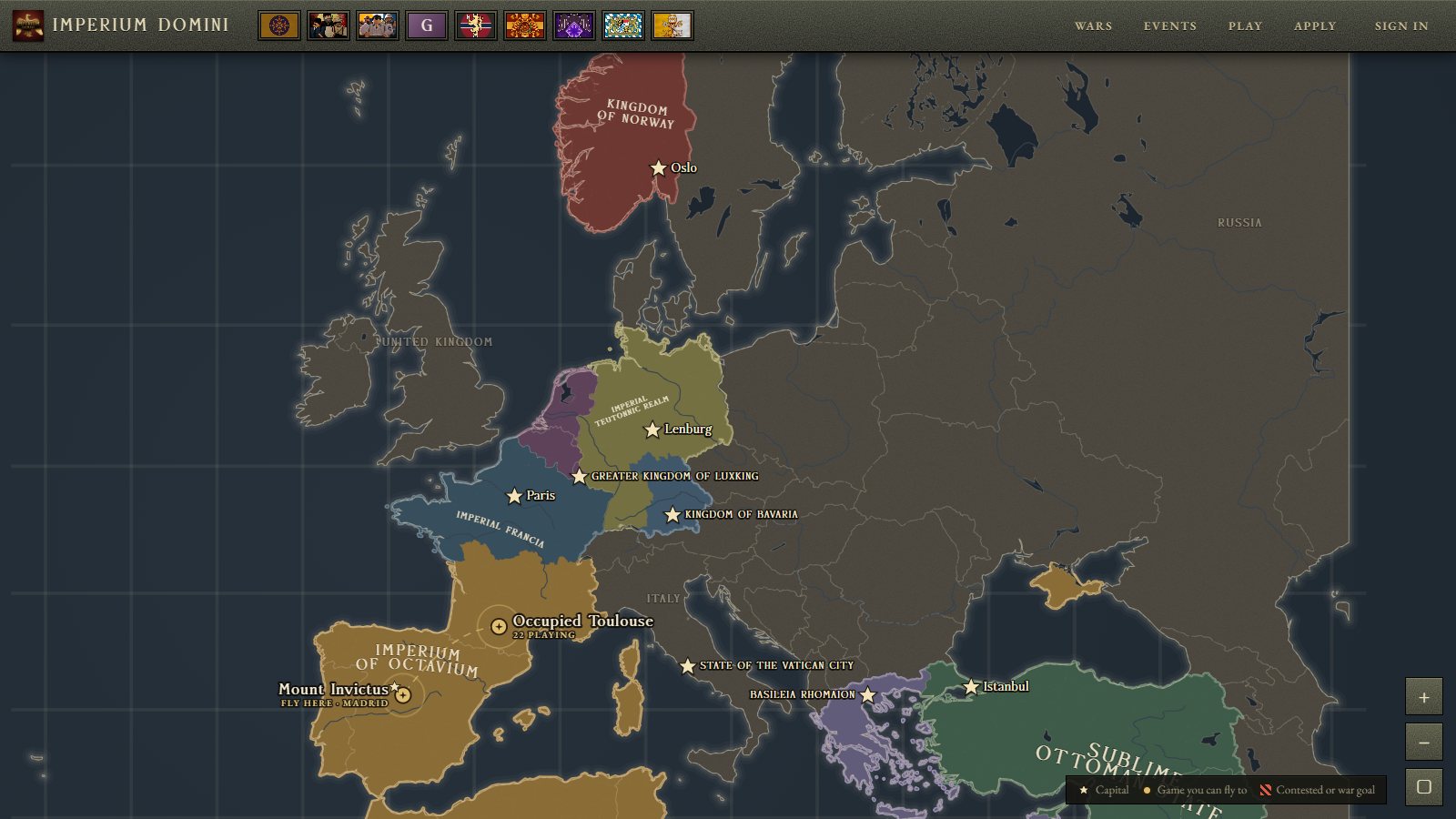
- Your game goes on the map. Your capital and your game appear on the Domini map, and players can fly in.
Questions go through a ticket in the Imperium Domini Discord, or apply here.